 RMM
RMMOverview
The RMMMax Mac OSX Agent Service is a lightweight Python 3 daemon that connects a Mac machine to the RMMMax platform. It runs as a background service, checks in with the RMMMax API every five minutes, receives commands dispatched from the platform, executes them, and reports results back. It requires no external Python packages — only the Python 3 standard library.
It is the Mac equivalent of the Windows RMMMax Agent Service and communicates with the same backend API endpoints.
Installing the RMMmax Mac Agent Service
Download the Mac OSX application -> RMMmax-Agent-Installer.dmg (376K)
Deployment instructions:
1. Copy RMMmax-Agent-Installer.dmg to the target Mac.
2. Double-click the DMG to mount it.
3. Double-click ‘Install RMMmax Agent.command’ inside the DMG.
4. Enter the admin password when prompted.
5. The agent service starts automatically.
6. Open RMMmax Agent from Launchpad to register.
Minimum macOS: 12.0 (Monterey) | CPU: Intel x86_64 or Apple Silicon arm64
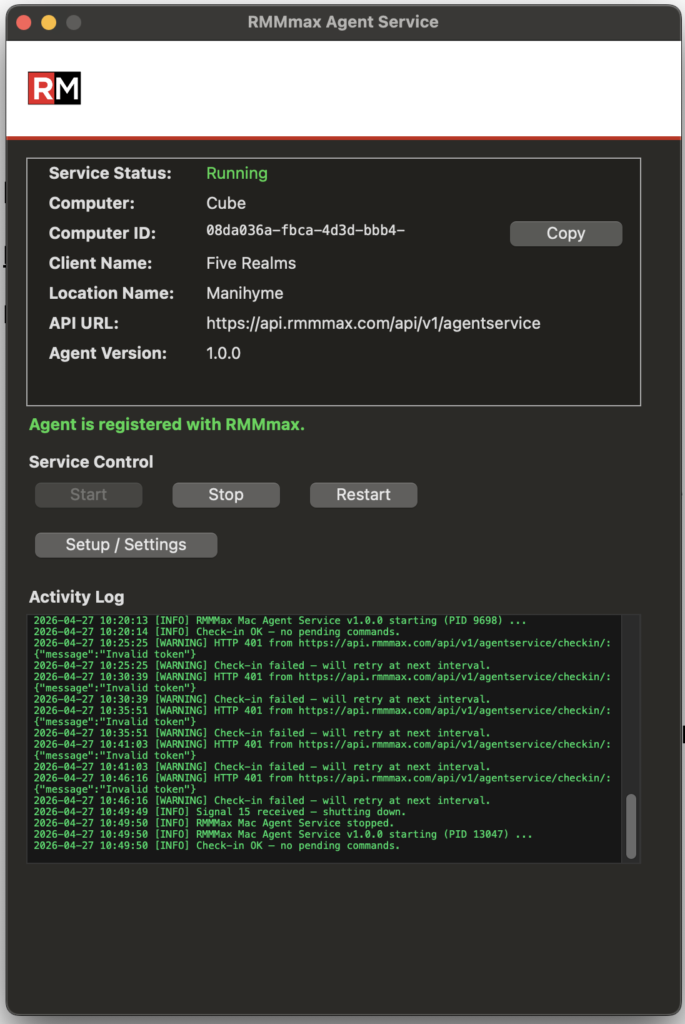
Use the Setup / Setting button to register the agent with RMMmax. The username and password are required but the Client and location is optional.
The Client and location fields allow you to define what Client and location the agent joins in RMMmax. If either the Client or location do not already exist in the RMMmax console then they will be added whn the agent registers.