 RMM
RMMRMMmax Windows Agent Service — Download & Installation
The RMMmax Agent Service provides a lightweight, secure, and fully independent way to manage Windows devices directly through the RMMmax platform. Whether you use a third‑party RMM or none at all, this agent gives you full access to all RMMmax modules and automation features.
Download the Windows Agent
Windows Agent Service (64‑bit) Download: [download here]
Version: Automatically displayed in the agent UI and in the RMMmax console Supported OS: Windows 10, Windows 11, Windows Server 2016+
What This Agent Does
The RMMmax Agent Service acts much like a traditional RMM agent:
- Checks in with RMMmax every 5 minutes
- Retrieves and executes commands from a strict, structured command layer
- Immediately checks in again after each command until the queue is empty
- Returns to the 5‑minute cycle once all tasks are complete
This ensures fast, reliable execution of workflows with minimal latency.
Secure Token‑Exchange Authentication
Every check‑in uses a single‑use, short‑lived token:
- Each login issues a new token
- Tokens can be used only once
- Tokens expire quickly
- Replay attacks are effectively eliminated
This provides a modern, zero‑trust‑style security model without storing long‑lived secrets on the endpoint.
Flexible Deployment Options
The Agent Service works in any environment:
Standalone Mode (No RMM Required)
Set your team’s RMM API type to None and manage all devices exclusively through the Agent Service.
Hybrid Mode (With Any RMM)
Install the agent alongside your existing RMM. The agent will:
- Join existing Clients and Locations
- Or automatically create new ones if the provided Client name doesn’t exist
Perfect for onboarding new customers, managing isolated devices, or extending capabilities beyond your RMM.
Why Use the Agent Service?
- Manage devices outside your RMM
- Support contractors, off‑domain systems, or isolated networks
- Provide full RMMmax functionality even without an RMM
- Ensure consistent behavior across all modules
- Reduce dependency on third‑party RMM limitations
Whether devices connect through your RMM API or through the Agent Service, they receive the same full RMMmax feature set.
Installation Instructions
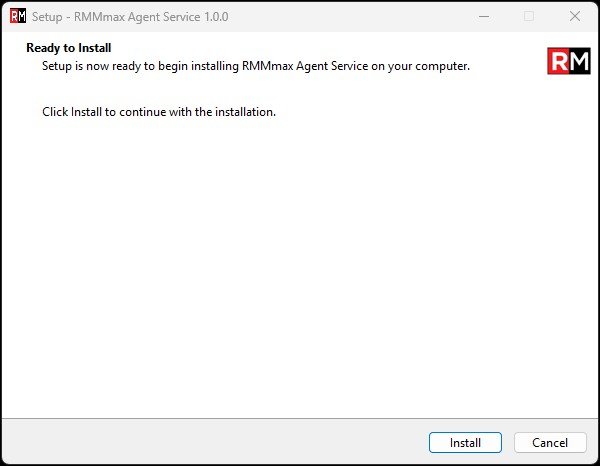
- Download the installer from the link above
- Run the installer as Administrator
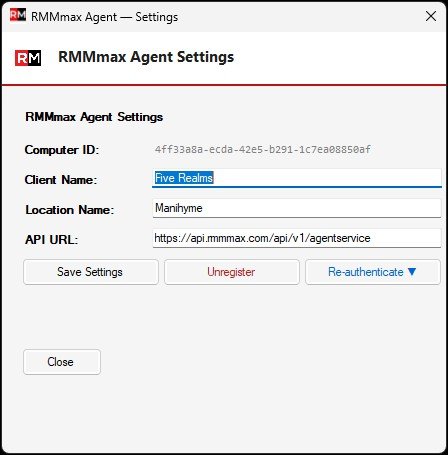
- When the Agent Service Console is displayed, Select the Setup / Settings Button.
- Enter your RMMmax Username and Password, Client Name, and Location Name
- The agent registers automatically and appears in the RMMmax console
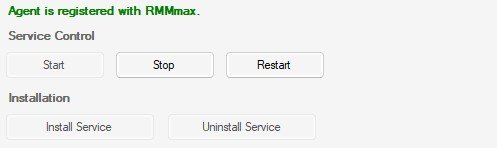
- Using the Agent Service console, Install the Agent Service as a Service and then start the service.
- Begin issuing commands or using any RMMmax module immediately
Your username and password are only used once to register the agent. Once agent is registered it uses token validation and exchange for authentication.
Download Agent Here -> https://app.rmmmax.com/files/RMMmaxAgentService.zip