 RMM
RMMHow to Automate Patching Across Windows, macOS, and Linux in One Console
If you run a mixed-OS environment — and most MSPs do — you already know the patching story. Windows is mostly handled. Your RMM has been automating Windows Update for years. macOS and Linux? That’s where it gets ugly. Manual processes, scripts that drift, endpoints that haven’t been patched in months because nobody built a reliable workflow for them. Patch management Windows Mac Linux consistency is the gap that keeps security-conscious MSPs up at night.
This post walks through why cross-platform patching is still broken for most shops, what a real solution looks like, and how to get everything under one console without ripping out your existing RMM stack.
Why Mixed-OS Patching Is Still Broken in 2026
The average MSP client base has drifted steadily away from pure-Windows. Design firms, engineering teams, and even accounting departments are running MacBooks. Development shops run Linux servers. Remote work normalized the “bring your own OS” reality at a lot of SMBs. You’re the one left managing all of it.
Here’s how most MSPs actually handle macOS and Linux patching today:
- macOS: A mix of MDM nudges, manual Softwareupdate runs, and hoping users click “install later” only so many times before they finally apply the OS update.
- Linux: Shell scripts or cron jobs running
apt-get upgradeoryum updatethat nobody’s reviewed since the engineer who wrote them left the company. - Reporting: Patch compliance dashboards that look great — because they only count Windows endpoints.
The result is a two-tier patching program: Windows gets real automation, everything else gets hope. That’s not a compliance posture you can defend in a client QBR, and it’s not a security posture you want to defend after an incident.
The Real Cost of Fragmented Patch Management
Fragmented tooling means fragmented visibility. When patching lives across three or four different workflows, you’re not just doing more work — you’re creating blind spots. A technician who handles Windows patching through your RMM has no reason to look at a Linux server that’s being “handled by a script.” That Linux server sits unpatched for 90 days. Nobody notices until a CVE gets exploited.
Beyond security, there’s the operational drag. Every additional tool or manual process in your stack is techs context-switching, credentials to manage, runbooks to maintain. The overhead compounds as you scale.
What MSPs actually need is straightforward: automate patching across operating systems from a single pane of glass, with consistent scheduling, consistent reporting, and consistent enforcement — regardless of whether the endpoint is running Windows 11, macOS Sequoia, or Ubuntu 24.
What Good Cross-Platform Patch Management Actually Looks Like
Before talking about any specific tool, it helps to define what you’re actually trying to accomplish. A mature cross-platform patching MSP workflow needs to do several things reliably:
Unified Scheduling and Enforcement
You should be able to define a patching policy once and apply it across OS types. “Patch all critical and high-severity updates within 72 hours, reboot during maintenance window, report exceptions” — that policy should work the same on a Windows workstation and a Linux server.
Package Manager Coverage
OS updates are only part of the picture. Third-party software running on endpoints — browsers, productivity tools, developer utilities — is where a significant share of vulnerabilities live. A real solution needs to handle package managers: Chocolatey and Winget on Windows, Homebrew on macOS, and Apt, Yum, and Zypper on Linux.
Reporting That Counts Everything
Patch compliance reporting is only useful if it reflects your entire managed estate. If your compliance dashboard is silently ignoring 30% of endpoints because they’re not Windows, the number it shows you is fiction.
No Parallel Toolchains
Stitching together three separate tools to cover three operating systems works — until it doesn’t. Every tool added to your stack is a contract, an integration to maintain, and a point of failure. The ideal is one MSP patch management tool that handles all three natively.
How RMMmax Handles This
RMMmax 2.0 is built specifically to address the cross-platform patching gap. Its Update Manager handles Windows updates, macOS updates, and Linux updates (Apt, Yum, and Zypper) from a single console — along with Chocolatey and Homebrew package management. That covers the full surface area: OS-level patches and third-party packages, across all three major operating systems.
What makes it different from adding yet another standalone tool to your stack is how it connects to your existing infrastructure. There are three deployment modes:
Mode 1: API Layer on Top of Your Existing RMM
If you’re already running NinjaOne, Kaseya, Datto, ConnectWise Automate, Tactical RMM, or ScreenConnect, RMMmax connects via API and adds its capabilities on top. Your existing RMM keeps doing what it does. RMMmax extends it with cross-platform Update Manager coverage and the rest of its automation toolkit. No rip-and-replace. No migration project. No convincing your team to learn a new platform from scratch.
Mode 2: Standalone Agent
If you don’t have an RMM — or you’re managing endpoints that your current RMM doesn’t support well — RMMmax deploys its own lightweight agent directly on Windows, macOS, or Linux endpoints. It runs independently, with full Update Manager functionality built in.
Mode 3: Hybrid (Both at Once)
This is where RMMmax’s architecture gets genuinely useful for MSPs with complex environments. You can run the API integration for your primary Windows fleet managed through your existing RMM, and deploy the standalone agent on macOS and Linux endpoints that your RMM handles poorly or doesn’t support. Both feed into the same RMMmax console. One dashboard, consistent reporting, unified patching policy — without forcing every endpoint through the same connection method.
The hybrid model is particularly useful during a tool transition or when you’re onboarding a new client with a mixed estate that doesn’t cleanly fit your existing RMM’s strengths.
Package Management: The Part Most Patching Tools Skip
OS-level patching is the baseline. The real coverage gap for most MSPs is third-party software. RMMmax’s Update Manager includes:
- Chocolatey — Windows package management for deploying and updating third-party apps at scale
- Homebrew — macOS package management for keeping developer tools and third-party software current
- Apt-Get, Yum, Zypper — Linux package manager coverage for Debian/Ubuntu, RHEL/CentOS, and SUSE-based distributions
Having these in the same console as your OS update management means you’re not running a separate workflow to catch the software layer. One policy engine, one reporting view, full coverage.
Practical Steps to Consolidate Your Patching Workflow
If you’re currently managing Windows through your RMM and handling macOS and Linux through scripts or manual processes, here’s a practical path to consolidating:
- Audit your current coverage. Map out which OS types are in your managed estate and which are actually covered by automated patching today. The gap is usually larger than people expect.
- Identify the connection method per endpoint type. For endpoints already managed by a supported RMM, the API integration is the lowest-friction path. For macOS and Linux endpoints that need direct agent coverage, plan those deployments separately.
- Define a unified patching policy. Before deploying anything, document what “patched” means across your client base — severity thresholds, maintenance windows, reboot behavior, reporting requirements. Apply this consistently across OS types.
- Verify reporting completeness. Once your new patching workflow is live, check that compliance reports account for every endpoint type. A dashboard that reflects your full estate is the goal.
Start With 10 Agents Free — No Credit Card
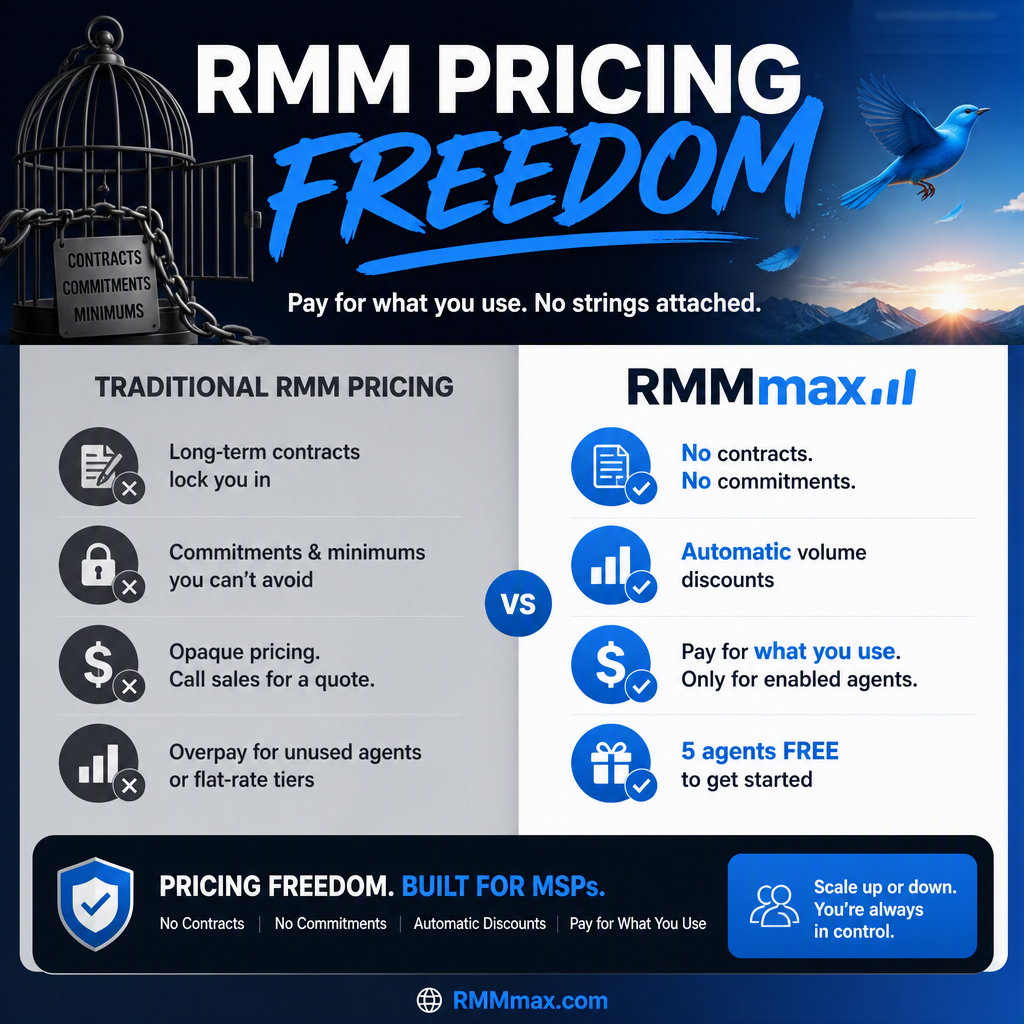
RMMmax offers a free tier that covers up to 10 agents forever, with access to all tools including the cross-platform Update Manager. No credit card required to sign up. If you want to test whether the API integration works cleanly with your existing RMM, or validate the standalone agent on a handful of macOS and Linux endpoints, the free tier gives you a real environment to do that — not a crippled demo.
Paid plans start at $0.50/agent/month for Essentials and $1.00/agent/month for Pro before automatic volume discounts, with self-serve pricing up to 5,000 agents. The pricing model is per enabled agent, with tool access determined by the selected plan.
If mixed-OS patching is still a manual process or a blind spot in your stack, it’s worth closing that gap. A consistent, automated, cross-platform patching program is one of the more defensible things you can put in front of a client — or an auditor.
Get started free — up to 10 agents, no credit card required.